Santa's Blog
Why Digital Christmas Cards ;Are Trending in 2025 And How to Make Your Own
Posted By- Khyati Rathod | Posted On - Dec 05, 2025
Traditions shape how we celebrate holidays, but all traditions change at some point. For many years, sending physical cards was a popular way to communicate during this time, but now in 2025, a new trend has emerged: sending digital Christmas cards.
Digital holiday cards provide not only convenience; they also afford an opportunity for greater personalization and more effective delivery than ever before. Digital cards come with numerous benefits, including environmental advantages and virtually limitless customization options. As a result, digital cards have surged in popularity and have become the method of choice when it comes to sending holiday greetings via the internet.
Read this article to learn about why digital cards have increased in popularity, as well as how to create a digital card that stands out!
Emerging Trends for Digital Christmas Cards (2025)
The growth of digital Christmas cards over the years 2025-2028 will be based on their practicality, performance, and principles.
1. Eco-Consciousness
The paper card industry uses an incredible amount of resources. The production, printing, shipping, and finally disposing of millions upon millions of cards has a very large environmental impact.
- What’s in It for You: When you send an online Christmas card, you instantly become eco-conscious by eliminating paper, ink, and fuel consumption associated with mail delivery, and you’re setting an example for others.
2. Hyper-Personalisation and Interactivity
Online Christmas cards are dynamic, unlike traditional printed Christmas cards, where it’s impossible to incorporate things that will help bring your message alive and into focus.
- What’s in It for You: Digital cards are ultra-interactive and hyper-personalized because you can add songs, high-definition video, family photo montages, and GIFs. You can even include a personalized message specifically for that recipient, making each eCard unique and memorable.
3. Greater Efficiency and Cost Savings
Buying stamps, licking envelopes, and going to the post office are all cumbersome tasks that cost time and money as well.
- Immediate Access to Cards:Digital cards are available as soon as they're created. For the price of one stamp, you can send out hundreds of Christmas e-cards. They will never be lost in transit, and you can monitor when someone gets them (if you are using an e-card service).
4. Trends Toward Digital Gifting
As e-vouchers and experience gifts are becoming more popular, digital greetings provide a natural transition to this trend.
- Added Benefit: Many digital card services allow users to embed a digital gift or link to a video chat in their greeting, creating a useful as well as celebratory product.
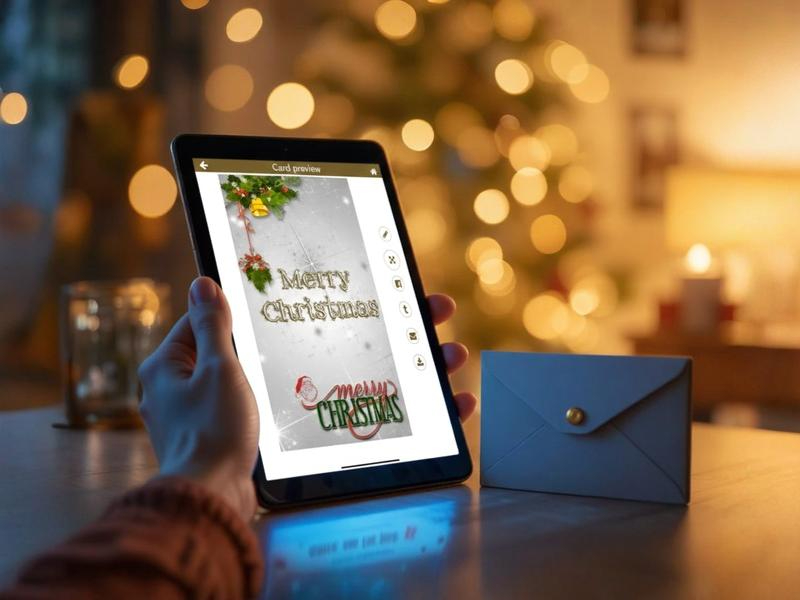
Creating Your Own Amazing Digital Holiday Card
The best news about creating your own digital holiday card is that it has become easier than ever to create an attractive card with no artistic ability.
Step 1: Choose a User-Friendly Platform (Best Tools)
There are many platforms available for creating digital holiday cards. Almost every holiday card design app/website has a fantastic free plan and premium upgrade.
- Best Tools: Canva, Adobe Express, and specialized e-card websites. All of these platforms provide you with access to thousands of customizable holiday templates.
Step 2: Choose your format and template
Select a format (JPEG/PNG) for your digital Christmas card and how it will be used as an attachment.
- Tip: Choose a style that represents YOU (modern, minimalistic, traditional, or fun) when choosing your template. This choice is the anchor of your Christmas card creation.
Step 3: Add personal touches to your visuals
This is where all your hard work will pay off! Replace the stock images found within the template and replace them with your family's photos!
- Tip: Make sure the photo is of high quality and taken recently. For a unique touch, include a short (10-second) video of your family wishing the recipient "Happy Holidays" or waving hello.
Step 4: Write your messages
When composing your message, don't just use the same words found within the template. Personalize your digital Christmas card by writing a short and sweet message.
- Example: Instead of "Merry Christmas" or "Happy Holidays," say, "Wishing you a warm and joyful Christmas and excited to see you soon in the New Year!" Love, [your family name].
Step 5: Add motion (optional)
If your online platform allows, consider adding motion to your card.
- For example, you may want to include some soft snowfall or blinking lights and/or some short, gentle Christmas music.
Step 6: Review & Send
Check your final design on both your mobile and desktop devices for proper formatting before sending it out.
- Distribution: You may either email the digital Christmas cards to your recipient in a high-quality format, or you can send them a link through messaging apps to help streamline the delivery process.
Following these steps in this guide for creating digital Christmas cards, you will not only be able to create your digital Christmas cards quickly but also send them to your friends efficiently, in an eco-friendly way, and with joy.
Let's make a Christmas card; download this app